
Platform
Groups and endpoints
The group a key belongs to decides which models it can use. The Base URL also differs between tools.
Groups
Section titled “Groups”You choose a group when you create each API key. A key can only call the models in its group, and it only uses the quota that belongs to that group.
| Group | Multiplier | Models | Suitable tools |
|---|---|---|---|
GPT 纯血Pro 余额分组 |
0.2x | GPT series | Codex CLI, Codex extension, Cherry Studio, OpenClaw, ClawX |
CC-Max |
1.2x | Claude series | Claude Code, Claude Desktop |
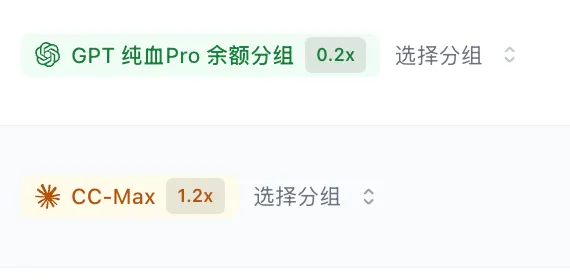
Both groups above are charged from balance. If you redeemed a daily, weekly or monthly card (GPT only), create the key in the group that belongs to the plan. The group name is shown under My Subscriptions (我的订阅). To use both GPT and Claude, create two keys.
If you chose the wrong group, you don’t need to delete the key. Change it in the Group (分组) column of the API Keys (API 密钥) list.
Base URL
Section titled “Base URL”| Tool or protocol | Base URL | Notes |
|---|---|---|
| Claude Code (Anthropic protocol) | https://2api.dev |
Goes in ANTHROPIC_BASE_URL. Do not add /v1 |
| Claude Desktop (Gateway) | https://2api.dev |
Do not add /v1 |
| Codex (Responses protocol) | https://2api.dev/v1 |
wire_api = "responses" in the config |
| OpenAI-compatible (Chat Completions) | https://2api.dev/v1 |
OpenAI SDK, OpenClaw, ClawX, Cursor and others |
| Cherry Studio | https://2api.dev |
Cherry adds /v1/chat/completions itself |
| magpie | See magpie | Root address for Claude, /v1 for GPT |
Model names
Section titled “Model names”The models available in each group change as the upstream changes. What the API returns is the final word. There are two ways to look them up:
- In the API Keys list in the console, click Use Key (使用密钥) next to a key. The generated configuration includes the model names that are available now.
- Request the model list with your key:
curl https://2api.dev/v1/models -H "Authorization: Bearer sk-your-key"Wherever an example in these docs says model-name, replace it with a name you looked up. Claude Code doesn’t need you to specify a model. After it starts, choose one with /model.